INDOhack

ZONANYA HACKER DITO

Subscribe
Add to Technorati Favourites
Add to del.icio.us

How to get Free One Way backlinks to your site

One way backlinks are very critical to any website success. The more one way backlinks pointing to your site, the more your Google Pagerank and the more amount of traffic you will get. This should also increase your sales,etc.
But the thing is.. getting the right and quality one way backlinks from high pagerank sites is not an easy task, and in this article, we'll find out some of the best ways to get free one way backlinks:

1. Try to write as much quality content as you can... that will encourage the readers to link to your site. The more useful, informative content you post, the more likely people are to link it. But, this method can take a while to really pay off because like all the new websites, you don't get much traffic.

2. Write quality articles and submit them to top article directories like ezinearticles and goarticles. The advantage in this is, you'll not only get a backlink from high pagerank directories, but also you'll find that your articles are used on other people's sites with a backlink to your site.

3. Participate in forums,discussion boards that are related to your website's niche and add a link to your site in the signature. Make sure that you write quality posts, don't spam. This will also help you get some decent traffic to your site.

4. There is absolutely nothing wrong to get a backlink from a related blog post you decide to comment on. This is one of the effective way of one way link building especially if you comment often on blogs. Comment on blogs related to your niche with a link back to your site as your signature.. and Again, make sure you never spam.

5. Submit your site link to major, well known web directories. Getting listed in directories related to your site not only bring you tons of targetted traffic, but will also improve your search engine rankings. Some of the popular directories to get listed in are DMOZ directory and Yahoo directory. You can submit your link to both paid and free directories and they worth your time.

*******************************END***********************************


"Email Me" html/javascript code for your blogs,web pages

How to add a "Email me" link on your blog?

Adding the "Email me" link to your blog/webpage is very helpful for the visitors who want to contact you.It increases the interactivity between the visitors and your site and make them come regularly.

Hi Kranthi! I will write the email address directly like abc@gmail.com and ask visitors to contact me.So,why to add these clickable links like"Email me" ?
There are plenty of problems if you show your email address directly on your site as SPAMMERS find your email address easily via search engines,and other sources.
So,by adding this type of links will hide your email address and If your visitors want to contact you,they will click on it.If the visior want to sent to you via another source like yahoo,google,etc they will simply copy the email address(in the outlook express) and email you.
On clicking the links,WINDOWS OUTLOOK EXPRESS will be open by default.
So,how to add the "Email me" link?
There are two types of ways to do it.One is text link and another one is image link.

Text Link:
Suppose,your email id is abc@gmail.com ,here is the code you have to add

Email me


Don't forget to change the email address in the above code to your's.If you want another anchor text(not "Email me"),you can change it.
Image link:
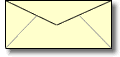
Suppose,if you want the visitors to email you by clicking on an image like the below one

Email me
First you have to upload your picture to some image hosting services.They will give a direct link for the uploaded image.Take a note of it.
In this example, the direct link for the uploaded image is http://i219.photobucket.com/albums/cc286/7kranthiswaroop/thenvelope.gif and your email address is some abc@gmail.com ,the code you have to add is
Email me


*******************************END***********************************


How-to-embed-YOUTUBE video,movie in your blog

This post explains, how to embed(insert) a youtube video in your blogger blog:
So,you want to embed a video(movie) onto your blog.The process is very simple,even a dummie can do it.If you want to embed your original video,then first sign up for an account in youtube and upload your video and get the embed code.
Otherwise,you can easily embed any public youtube video in your blog.Go to youtube.com and search for the video.For example,if you want to embed a britney spears video,search it and copy the embed code on to a windows notepad or anything else.
The following process is explained below with pictures for easy understanding.
1.Go to youtube.com and search for your required video
enter your search item and click the search button
2.Copy the embeded code(ctrl+c) and paste(ctrl+v) it in windows notepad.


copy the copy the html code from the box provided

3.Sign in in to your blogger acoount and click the New Post button and next,select the option 'Edit html' as shown below and paste the html code as shown below.

click the 'edit html' option as shown here

4.Publish the post.That's it, as you can see now,the youtube video is embeded in your post properly.
NOTE:You can change the width and height of the video by replacing the values to your desirable ones.

*******************************END***********************************

Hide-disable-remove-blogger navbar from your blog

Learn how to hide,disable or remove the blogger navbar(navigation bar) from your blog.
First,let us see what blogger navbar is:


blogger navbar

Blogger navbar allows users to easily navigate to other random blogs and it also has a feauture to search the blogs ,and mark any blog as spam.
So,now you have a clear idea of what really a blogger navbar is.So, why so many people prefer to just remove the navbar inspite of the feautures it has like search,etc.Many people think that, it spoils the look of the blog,especially if your blog has differnet subtitle layout which looks too obvious to see for a visitor.Well, let me come to the actual point on how to disable or hide your blogger navbar.

Below is the step-by-step procedure on how to do it with photos to make it easy to understand.

1.Sign in to your blogger account and click the layout button next to your blog name

click the layout button

2.Next,click the edit html tab as shown in the below picture.


edit html

3.Add the below html code as specified in the below picture.
#navbar {
    height: 0px;
    visibility: hidden;
    display: none;
}


add the code like this

4. Save the changes.

Now, you can see your blog without that navbar(this tip can only hides the navbar,it doesn't completely delete it).If you want the navbar to appear again,just remove that code and save the changes.
If you have any doubts,regarding this post,don't hesitate to ask.You can ask your doubts via comments to this post.

*******************************END***********************************